Formats
Supported platforms.
On the Akai Force and MPC, and in your browser, today. A VST3 for your DAW and an iOS app are on the way.
Now · Akai Force and MPC
On your Akai Force or MPC.
- Runs on
- Akai Force (first gen) and MPC, MPC OS 3.9.1
- Tested
- On a real Force, every release
Cadenza is listed in the community MPC VST plugin catalog, with the download and the usual install steps.
Open the catalog listing- Insert Cadenza on a track and give that track a clip.
- Set each instrument track's MIDI input to Cadenza MIDI Out, on the part's channel.
- Press PLAY.
| Track | Part | MIDI in | Ch |
|---|---|---|---|
| Pad | Chords | Cadenza MIDI Out | 1 |
| Bass | Bass | Cadenza MIDI Out | 2 |
| Lead | Melody | Cadenza MIDI Out | 3 |
Step by step, on the Force's screen: How to set up Cadenza.
Now · Browser
In your browser.
The same engine and screens as the Force release, with built-in sounds, a demo song and the six genre presets. Tap the screen as you would on the Force. Nothing to install.
Jamin your browser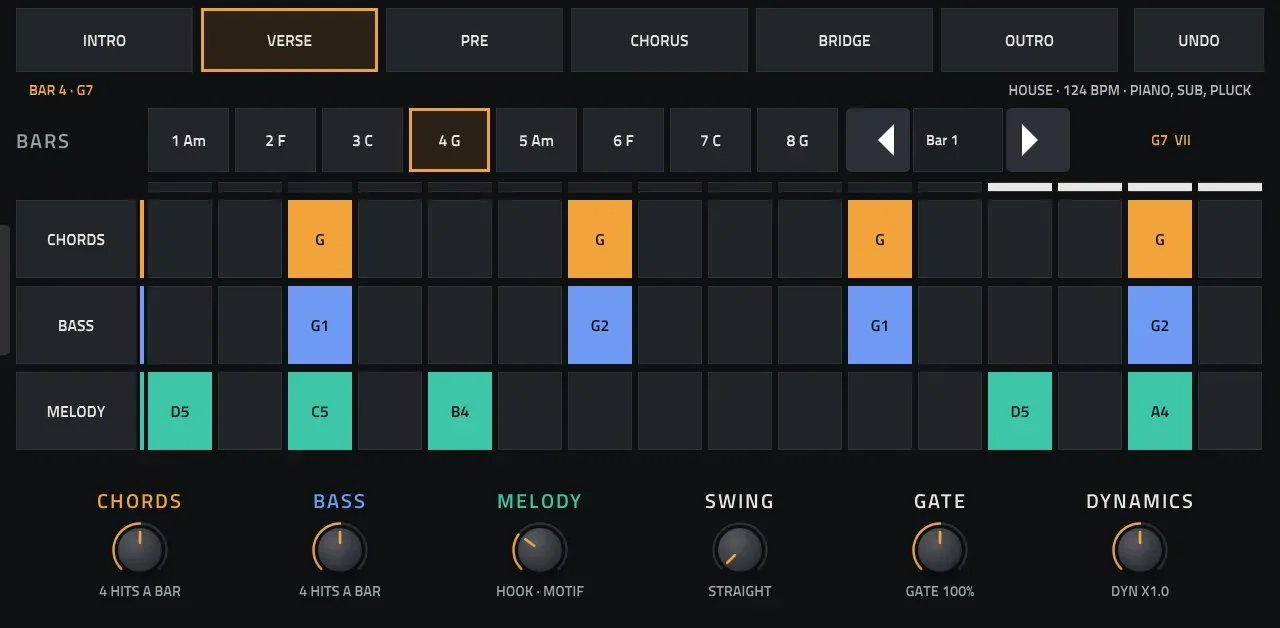
Coming soon
VST3 for your DAW.
Put Cadenza in your own DAW and use all of it: your instruments and effects, automation on every knob, the MIDI recorded into clips, and every other tool your DAW has.
- Ableton Live
- Bitwig Studio
- Cubase
- Reaper
Coming soon
iOS app.
Cadenza on iPhone and iPad.